
When checking for changes, what location is used?
By default, Visualping will crawl the website using a United States (California) IP addresses. However, there are many different checking locations from various locations that can be used instead depending on your use case. For example, you can use the Canada checking location to monitor the Canadian version of a website with unique content or use the Germany checking location when monitoring a domain ending in (.de) so it loads faster. You can set a specific checking location for each job using the "Check from" dropdown menu in the Adjustments section.
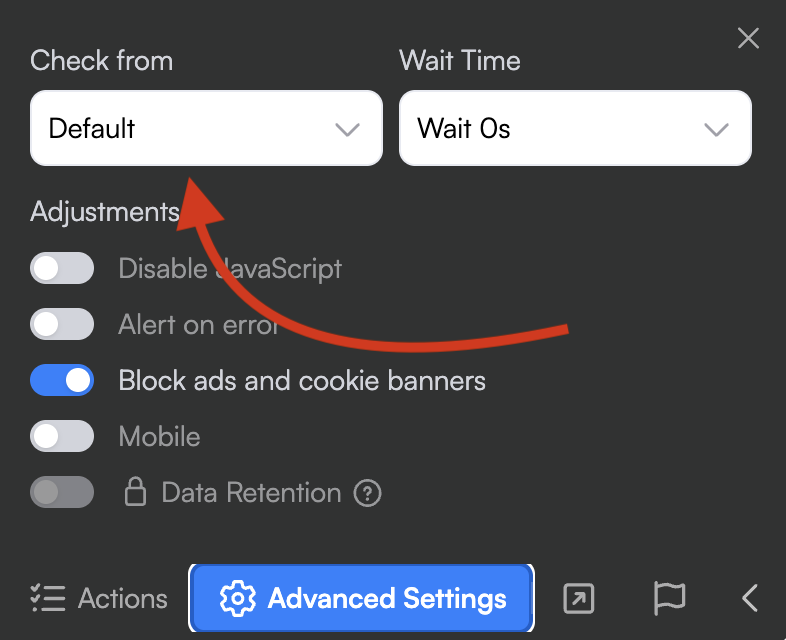
We currently offer the following checking locations for all users. We're working on adding more checking location options in the future and if you have any suggestions, feel free to share them with us.
None (default) - California, US
Basic Checking Location (Incognito data center from New York, US)
United Kingdom
Canada
Australia
Germany
France
Spain
Japan
China
South Korea
Brazil
Norway
Chile
Mexico
Cyprus
India
Singapore
Philippines
Indonesia
United Arab Emirates
Pakistan
South Africa
Malaysia
Thailand
Nigeria
Netherlands
Romania
Sweden
Belgium
Hungary
Italy
Denmark
Poland
Finland
Fixed checking location (54.184.241.33) for white-listing or analytical purposes
Visualping also offers residential proxies for business accounts which may help bypass bot detection for certain sites. Please contact your dedicated account manager for more details or use our Sales form.