
How can I filter through and sort jobs?
Filter monitors
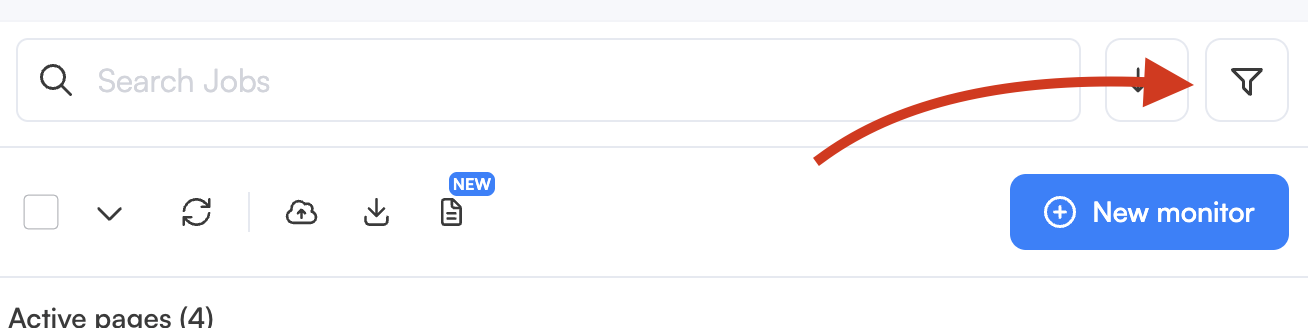
If you are monitoring hundreds of monitors you may want to filter for specific monitor attributes. To filter through monitors, click on the filter icon.
This will open up the advanced filters panel, where you can filter monitors by events from specific dates, monitor frequency, status, mode, labels (business feature), and schedule.
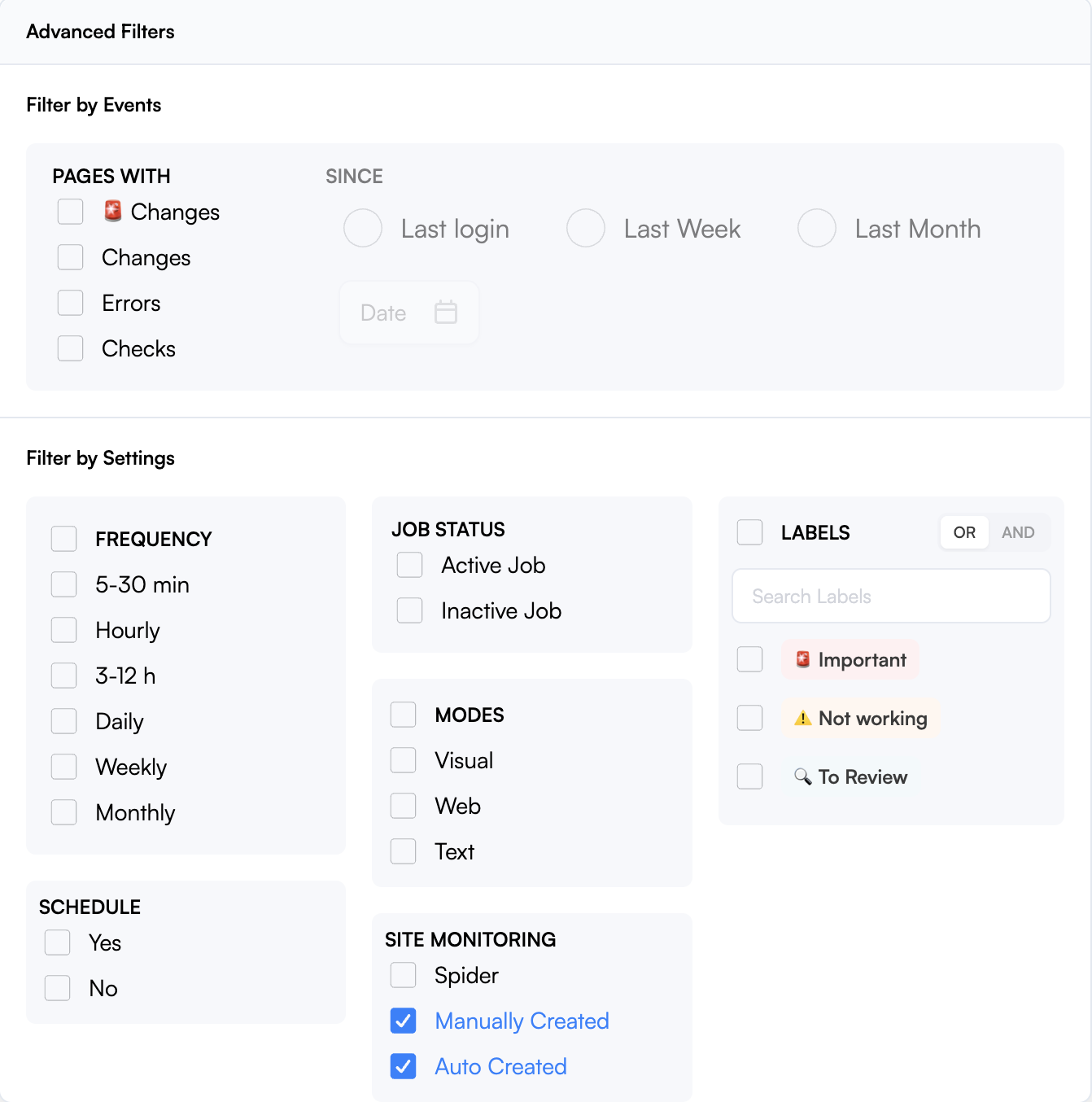
Filtering by labels — AND/OR logic
When filtering by labels, you can toggle between two matching modes:
OR (default): Returns monitors that have at least one of the selected labels.
AND: Returns only monitors that have all of the selected labels. Use this for more precise filtering when monitors carry multiple labels.
Select one or the other option at the top of the label filter.
If you create a monitor while dashboard filters are active, a warning banner now explains that the monitor was created but is hidden by the current filters. The banner includes a one-click option to clear the filters and reveal the new monitor.
Dashboard search & filter improvements
The dashboard search and filtering experience has been enhanced with new active filter chips. These chips appear for applied filters and stay visible as you refine your view, making it easier to see and manage what’s currently filtering your dashboard.
In addition to traditional filtering options, you can quickly remove individual filters by clicking the corresponding chip, or clear all filters with a single action. This improvement applies to the dashboard views that show monitors, jobs, and other items, helping you understand at a glance what is being filtered.
Tip: Look for the blue or colored chips near the top of the dashboard to see your active selections without reopening filter menus.