What do the triggers mean?
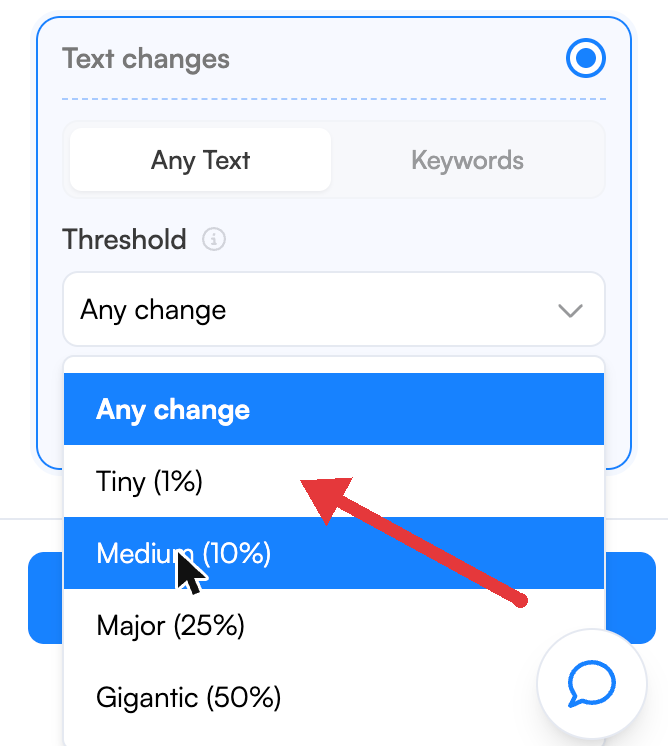
You can choose different threshold levels to trigger Visualping notifications. The different levels of thresholds are:
Any Change (notify when any change occurs)
Tiny (notify when change is over 1% difference)
Medium (notify when change is over 10% difference)
Major (notify when change is over 25% difference)
Gigantic (notify when change is over 50% difference)
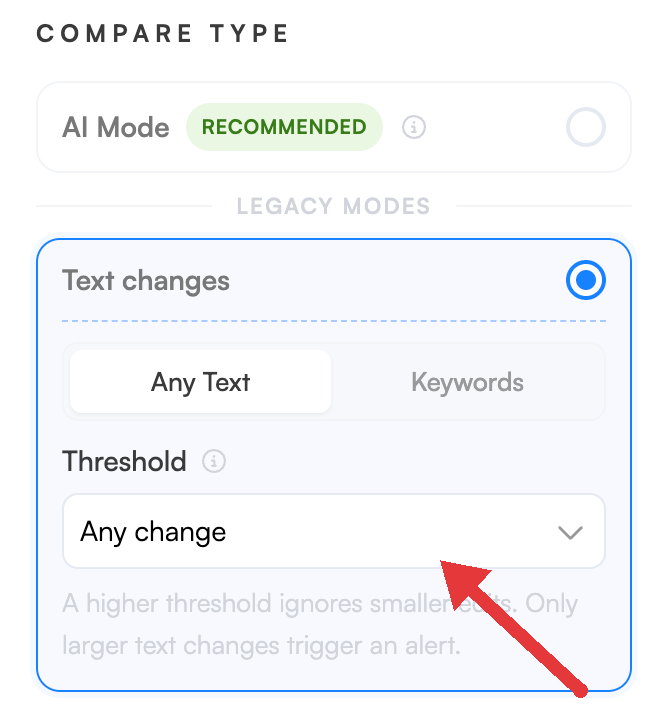
You can find the threshold setting in the monitor settings for monitors that use change thresholds.
Note: AI Mode does not use the threshold. It alerts you based on your "Alert me when" condition instead.
Monitor settings
Open the monitor's settings, click More settings, then Advanced. Under Compare type, choose Text changes (a legacy mode). The Threshold menu appears on the Any Text tab.
Element changes is no longer an option in monitor settings. Existing Element monitors keep running unchanged until you edit them. When you open one, it appears as AI Mode with a retirement notice. Saving it switches the monitor to AI Mode, which continues watching the same element but no longer uses the change threshold. If the element is no longer on the page, you'll be asked to select an area to watch instead.