
How do I integrate with Discord?
With Visualping's customized notifications tools, you can receive notifications on Discord.
What you'll learn:
How to integrate with Discord.
Step 1:
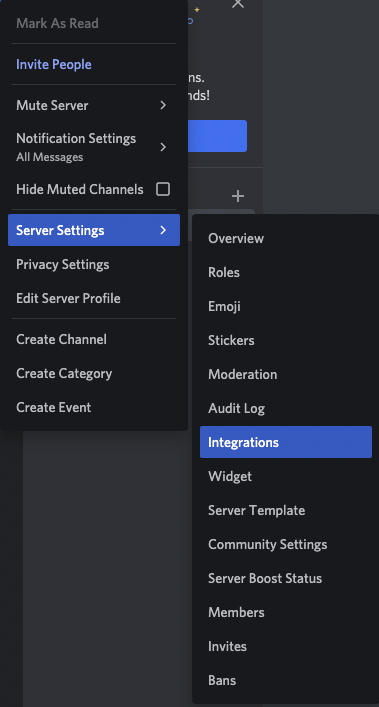
Right-click over the discord channel you want to send notifications.
Then, click on Server Settings > Integrations.
Step 2:
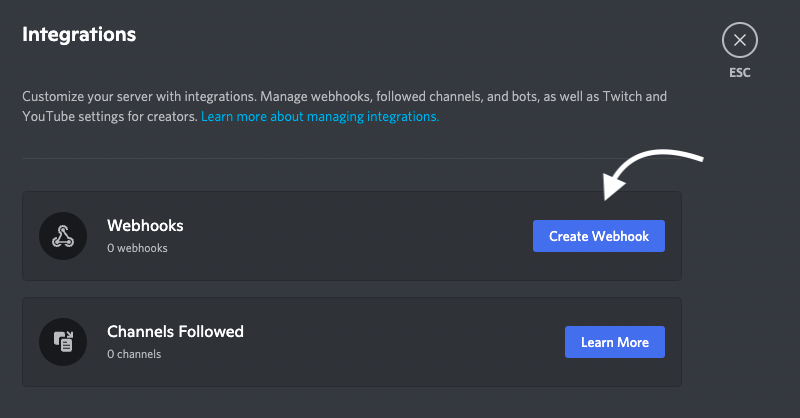
Click on Create WebHook.
Step 3:
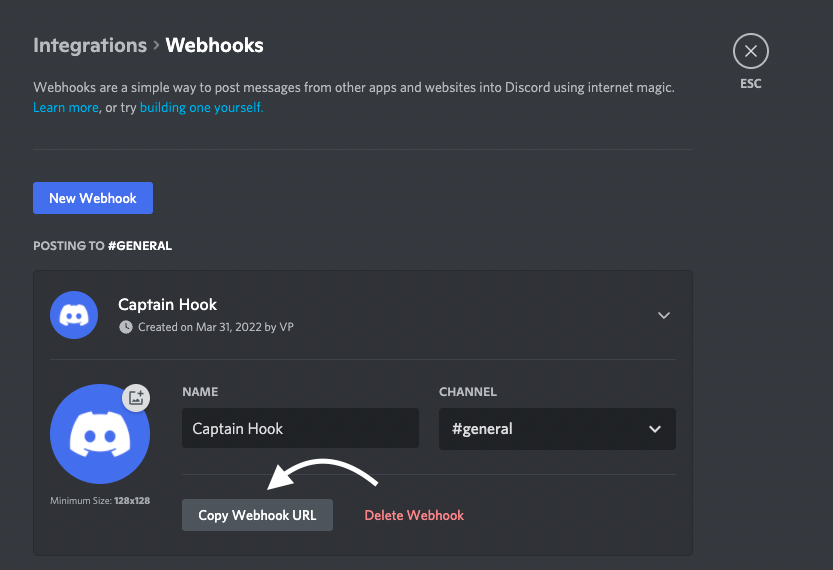
Copy the WebHook URL.
Step 4:
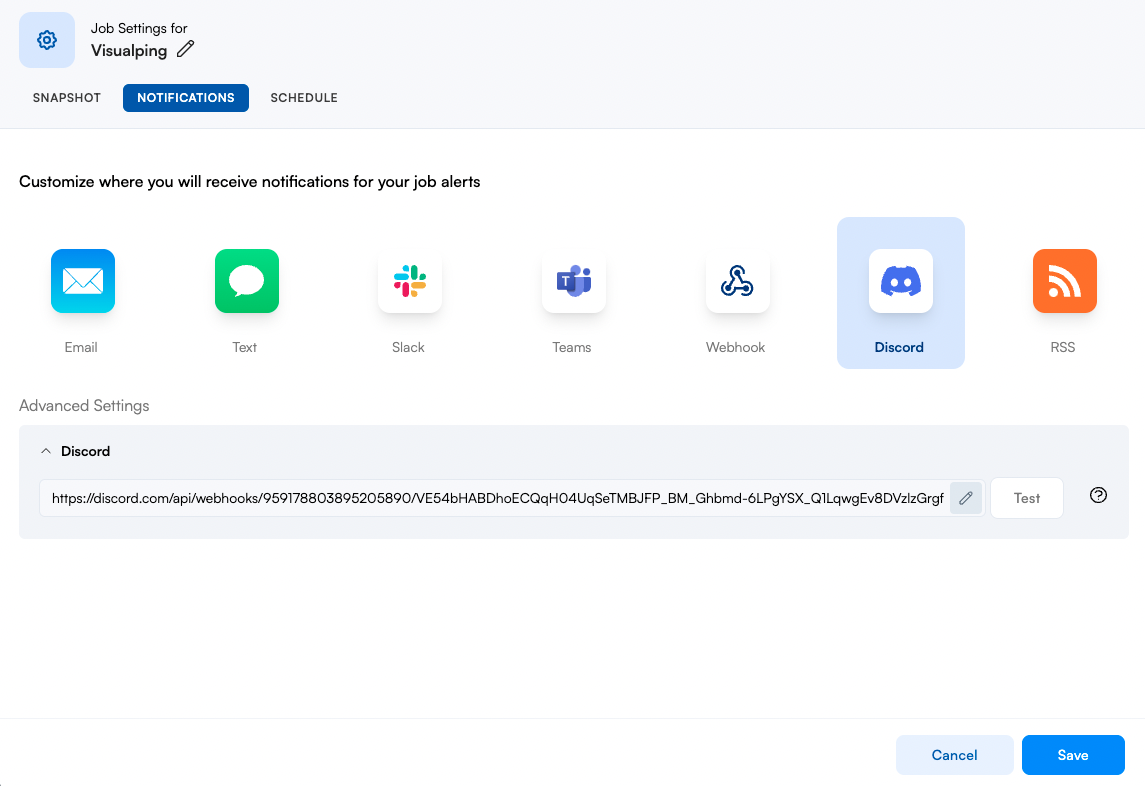
On your jobs setting page click on Notifications > Discord. Paste the URL in the input field and click test. Adding a valid URL automatically switches on Discord notifications. This also applies to Teams, Slack webhook, n8n, and webhook notification destinations.
Step 5:
You should receive a sample notification that indicates the integration is complete.

Note: If your job has custom data extraction configured (available on the Solutions plan), the extracted data is now included in the Discord notification alongside the change alert.