
How to navigate to a different page with Go To action
Edited
The Go To action lets your monitor navigate to a different URL before it checks the page. This is useful if you need to log in to an account before monitoring a password-protected page or if you just need to navigate to another page.
In this lesson, you will learn how to:
Use Go To action
Step 1:
On your dashboard, click Start monitoring. Enter the URL your monitor should start on (for example: visualping.io) and click Go.
Step 2:
Open the Actions panel and choose the Go To action from the dropdown menu.
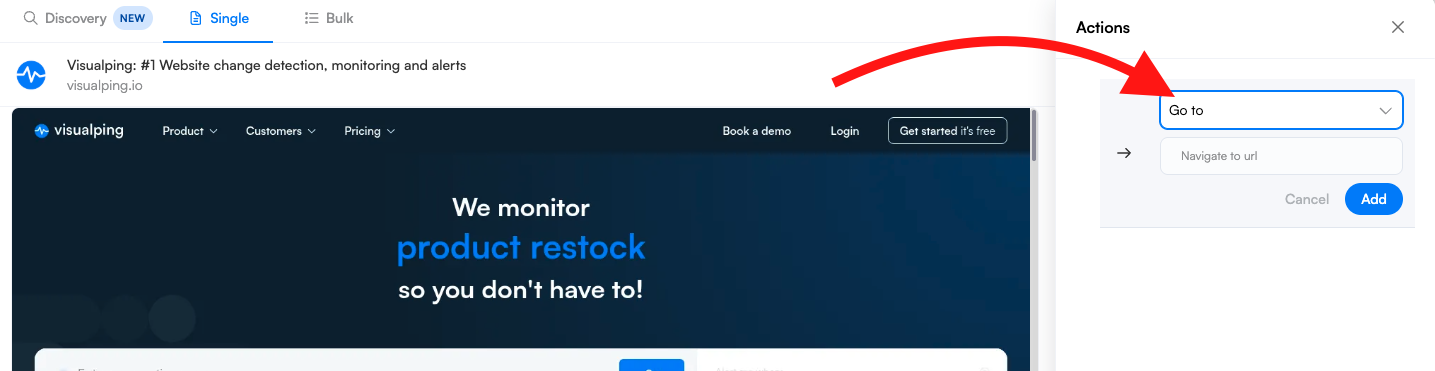
Step 3:
Enter the URL of the page you want to navigate to (for example: google.com)
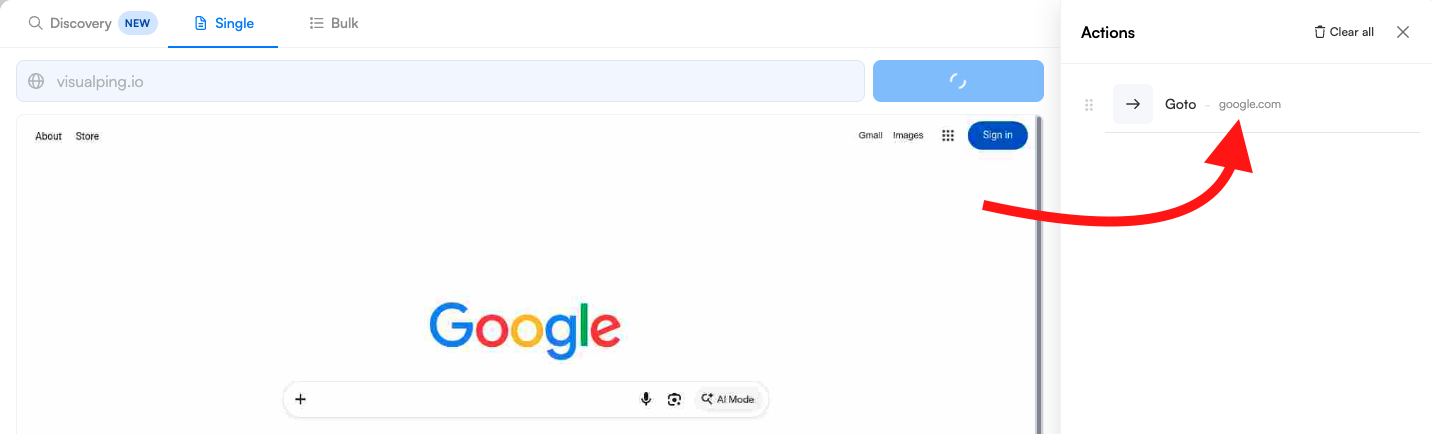
Step 4:
Check that the preview shows the page you navigated to, then finish setting up your monitor and click Start monitoring.
Was this article helpful?
Sorry about that! Care to tell us more?