How do I mute notifications?
If you no longer want to receive notifications, but still want access to your dashboard, try muting a workspace. Note: This feature is only available on business plans.
Pro Tip:
Not interested in muting a workspace. Learn more about disabling notifications for individual jobs or using third-party alert integrations.
Step 1
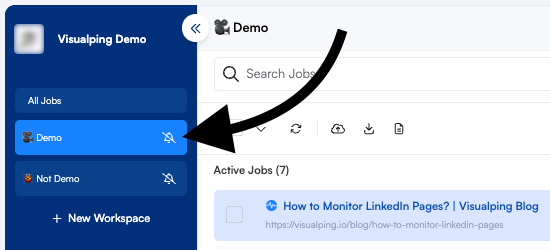
Determine which workspace you want to mute. Keep in mind that muting a workspace will not prevent other users from receiving notifications. Muting only stops the email and text (SMS) notifications sent to your account. Notifications sent to Slack, Microsoft Teams, Discord, webhooks and Google Sheets still arrive.
Step 2
Click the Mute notification icon
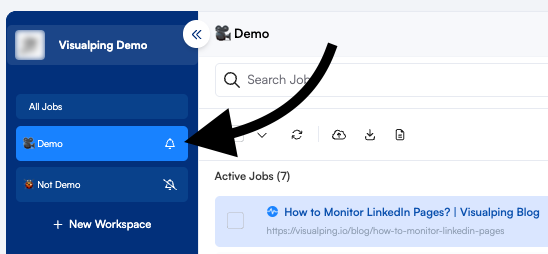
Step 3
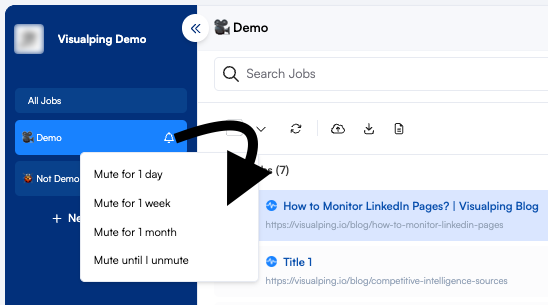
Select how long to mute the workspace from the dropdown. To mute indefinitely, choose ‘Mute until I unmute’
How to unmute notification a workspace
Click the Unmute notification icon