
How to get an alert if website errors
When monitoring a webpage, there are cases when you want to get an alert if the website results in an error or if the site blocks our crawler due to bot detection. This can be useful if you monitor your website for regression, ensure the website is active, ignore bot-detection changes, and more.
You can enable the "Alert me on errors" option by selecting it in the Settings tab found near the bottom right when editing a monitor. For monitors that have never had error alerting configured, error alerts are applied by default.
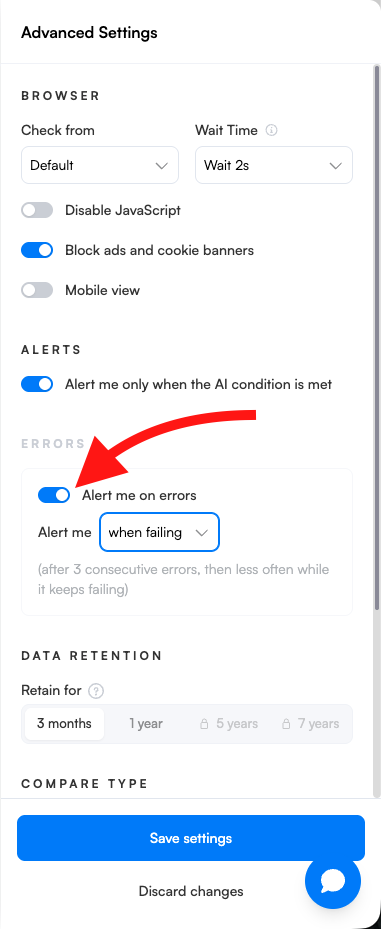
The default error alert fires after a set time of continuous failure based on the monitor's check interval, rather than after the same number of failed checks for every monitor. Monitors with longer check intervals can therefore alert after fewer failed checks than before. Below is the criteria for how many errors need to be detected for each reporting rate:
Every minute: 1440 errors before the first error alert is sent to inbox
Every 2 min: 720 errors before the first error alert is sent to inbox
Every 5 min: 288 errors before the first error alert is sent to inbox
Every 15 min: 96 errors before the first error alert is sent to inbox
Every 30 min: 48 errors before the first error alert is sent to inbox
Every hour: 24 errors before the first error alert is sent to inbox
Every 3 hours: 16 errors before the first error alert is sent to inbox
Every 6 hours: 8 errors before the first error alert is sent to inbox
Every 12 hours: 14 errors before the first error alert is sent to inbox
Every day: 7 errors before the first error alert is sent to inbox
Every 2 days: 4 errors before the first error alert is sent to inbox
Every week: 3 errors before the first error alert is sent to inbox
Every 2 weeks/Every Month: 2 errors before the first error alert is sent to inbox
For a threshold of N consecutive errors, alerts arrive after N, 2N, 4N, 8N, 16N, and 32N failed checks, then every 32N failed checks while the monitor keeps failing. Repeat error alerts become less frequent while the monitor stays broken, so a long-broken monitor sends a handful of alerts instead of dozens.
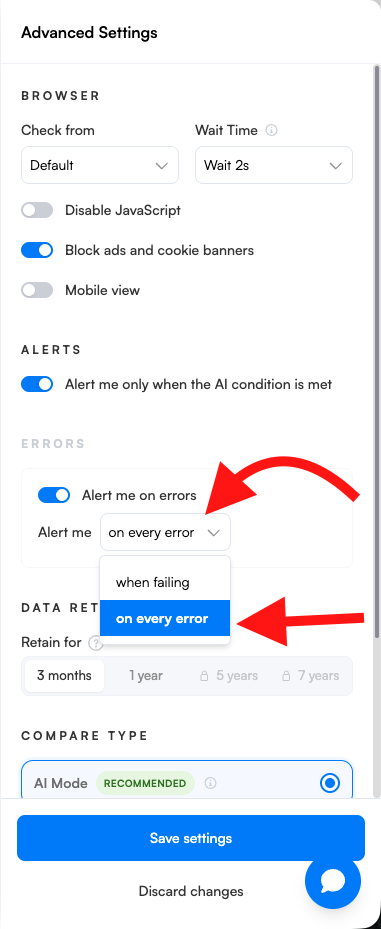
You can also select "On every error" to receive an alert for every failed check.
If you would like to use the error page as a new baseline to use to compare to the next snapshot that comes in, please let the team know at support@visualping.io and we be glad to assist.
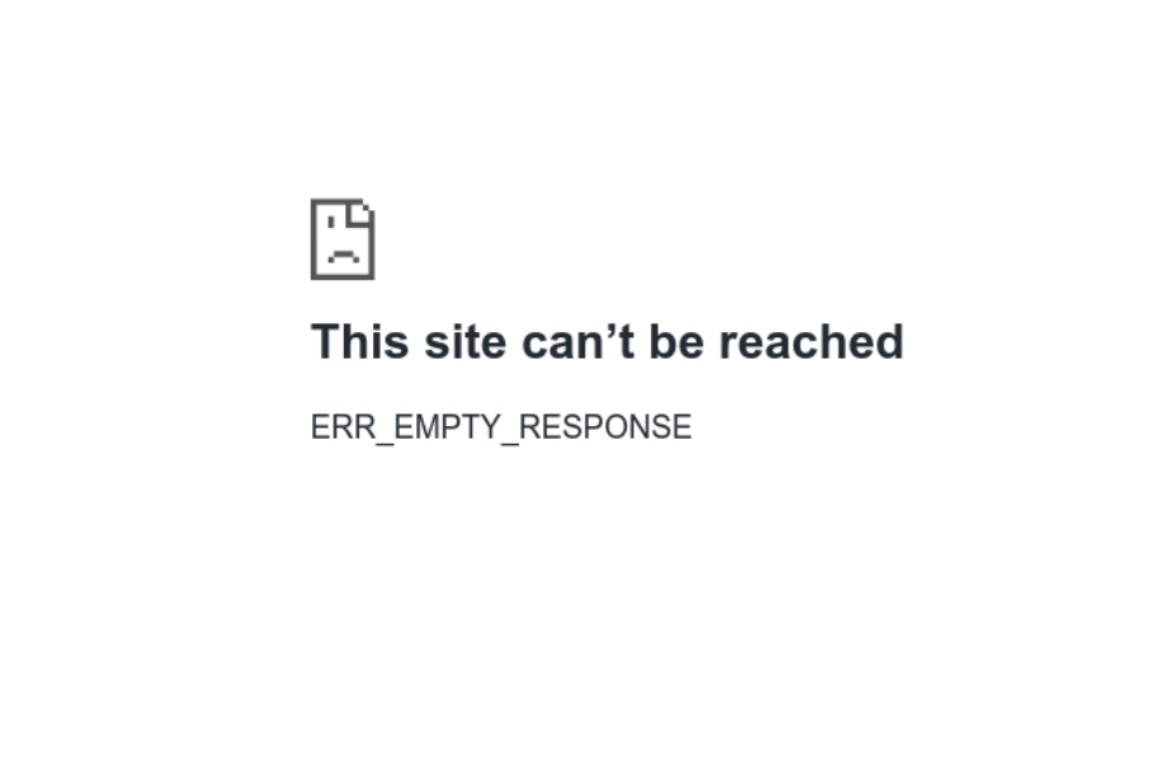
Example of a website error message
Please contact us if you have questions or need support at support@visualping.io or start a chat by clicking the bottom right chat button.